Before You Begin
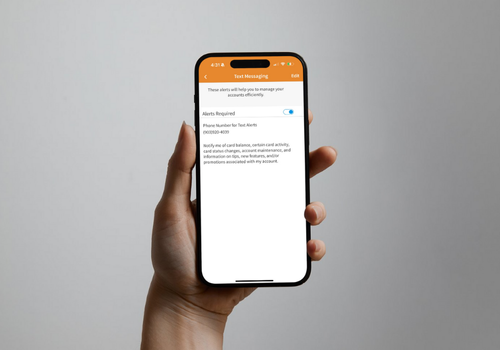
Before adding your card to a digital wallet, you’ll need to sign up for Fintwist text alerts.
Signing up for text alerts is easy! Choose from one of the following ways to enroll:
- Download the Fintwist app from the Apple or Google app stores
- Go to www.fintwistsolutions.com and select “Alerts” from the menu
- Or call Customer Service (888) 265-8228 to enroll
How to set up your card
For Apple Wallet (iPhone):
– Open the Wallet app on your iPhone
– Tap the “+” sign in the top right corner
– Select Debit or Credit Card
– Follow the prompts to scan (only if you have a chip card) or manually enter your Fintwist Card
– Verify your card using the text message you receive
– You’re ready to tap and pay anywhere Apple Pay is accepted
For Google Wallet (Android):
– Download or open the Google Wallet app
– Tap “Add to Wallet” → Payment Card
– Enter your Fintwist Card details or scan your card
– Verify your card with the text message you receive
– That’s it — start using your phone for fast, contactless payments
Need help?
For the fastest assistance please call our cardholder support line at (888) 265-8228
*We accept operator relay calls. If you are deaf, hearing impaired, or have a speech disability, please call for assistance.